


21,78€
Op voorraad
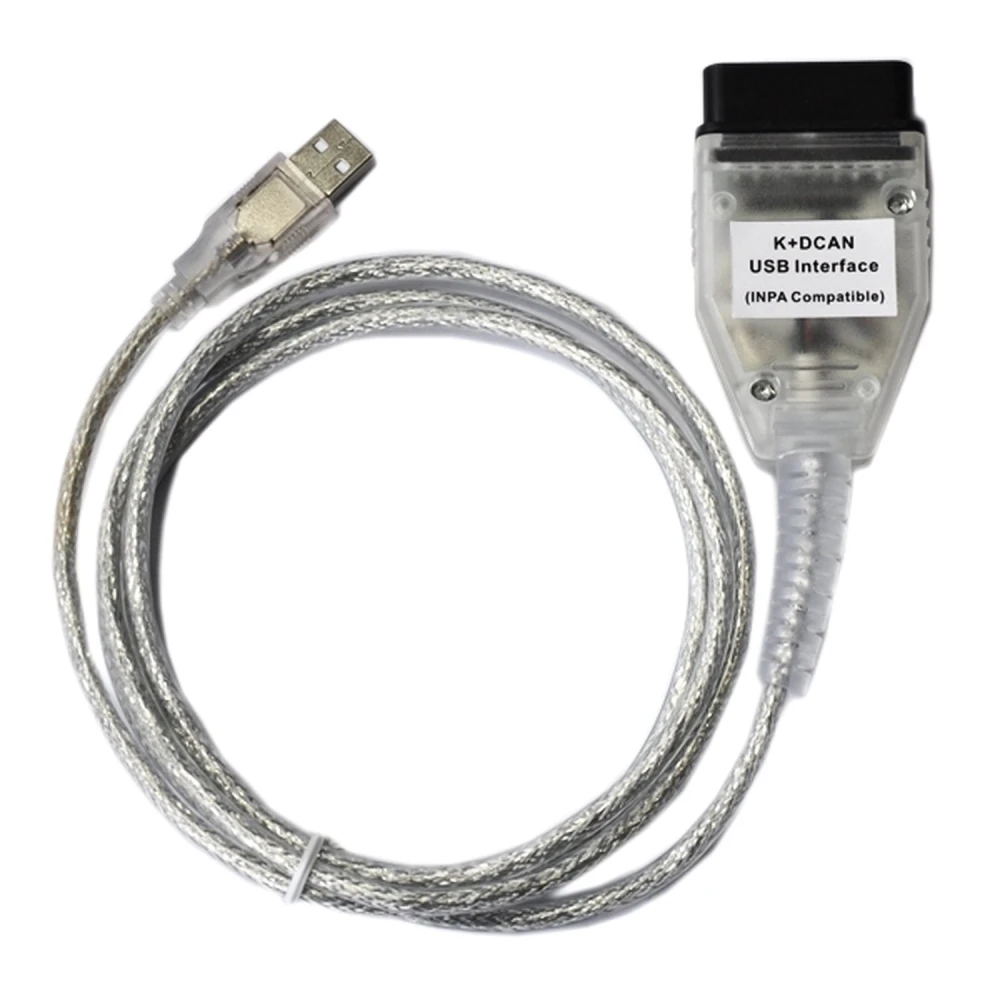
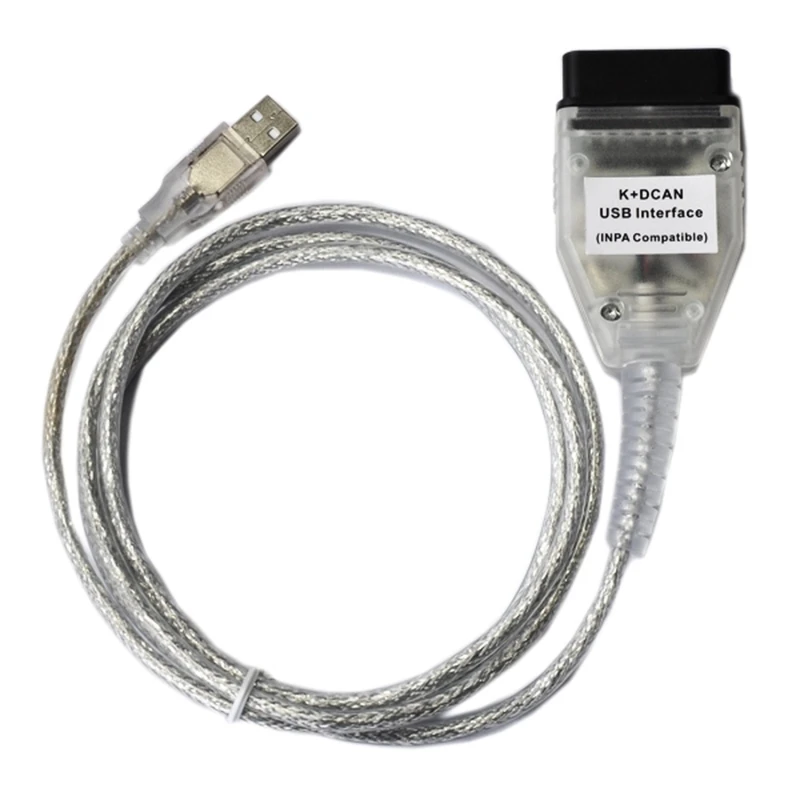
Inpa K+Dcan BMW Mini OBD2-diagnose-interface voor professioneel diagnosewerk
Merk: satkit
21,78€
IVA inbegrepen (Excl. btw: 18,00€)
Beperkte voorraad
Standaardlevering
Wo, Apr 22 - Vr, Apr 24
Expresslevering
Ma, Apr 20 - Di, Apr 21
30 dagen retour
Gratis retourneren binnen 30 dagen
Beveiligde transactie






Share:
Gratis bezorging
Bij bestellingen boven 300€
Eenvoudig retourneren
30 dagen retourbeleid
Veilig betalen
100% veilig afrekenen
Kwaliteitsgarantie
Alleen originele producten
Inpa K+Dcan BMW Mini Interfaz Diagnóstico OBD2 is een USB-apparaat dat is ontworpen voor een volledige diagnose van BMW- en Mini-voertuigen die zijn geproduceerd tussen 1998 en 2008. Compatibel met de programma's INPA, SSS, Progman en andere, biedt deze interface alle functies die nodig zijn voor een gedetailleerde en professionele analyse.
Belangrijkste kenmerken
- Volledige diagnose van elektronische systemen van BMW en Mini.
- Compatibel met software INPA, SSS, Progman en Ediabas.
- Lezen en wissen van foutcodes voor snelle foutdetectie.
- Functies voor aanpassingen en codering om voertuigparameters te personaliseren en af te stellen.
- Ondersteuning voor D-CAN- en PT-CAN-protocollen met hoge snelheid (500 kbit/s) en PT-CAN met lage snelheid (100 kbit/s).
- Dubbele K-Line-ondersteuning voor efficiënte communicatie.
- Detectie van accuspanning en ontstekingsspanning via de stuurleiding.
- USB-aansluiting met geïntegreerde kabel van 1,5 meter die een virtuele poort aanmaakt voor eenvoudige verbinding.
Compatibele modellen die D-CAN vereisen
- BMW E60, E61 (vanaf maart 2007).
- BMW E83 (vanaf september 2006).
- BMW E81, E87 (vanaf maart 2007).
- BMW E90, E91, E92, E93 (vanaf maart 2007).
- BMW E70 (Nieuwe X5).
- Mini R56 (Nieuwe Mini).
Typisch gebruik
Deze interface is ideaal voor werkplaatsen, technici en hobbyisten die nauwkeurige diagnose willen uitvoeren op BMW- en Mini-voertuigen. Hiermee kunt u storingen opsporen, foutcodes wissen, aanpassingen en coderingen uitvoeren, wat onderhoud en reparatie van het voertuig vergemakkelijkt.
Compatibiliteit
Compatibel met besturingssystemen die de programma's INPA, SSS en Progman ondersteunen. De interface wordt via USB aangesloten en wordt herkend als een virtueel apparaat, waardoor gebruik zonder complexe configuraties eenvoudig is.
Inhoud van de verpakking
- 1x Inpa K+Dcan USB-interface met geïntegreerde kabel van 1,5 m.
- 1x software-eenheid op cd voor installatie.
Dit hulpmiddel biedt een economische en efficiënte oplossing voor OBD2-diagnose bij BMW- en Mini-voertuigen, met kwaliteit en precisie bij elk gebruik.
- Volledige diagnose voor BMW en Mini 1998-2008
- Compatibel met INPA, SSS, Progman en Ediabas
- Lezen en wissen van foutcodes, aanpassingen en codering
- Ondersteuning voor D-CAN, PT-CAN hoge en lage snelheid
- USB-aansluiting met geïntegreerde kabel van 1,5 meter
- Detectie van accuspanning en ontstekingsspanning
- Inclusief software-eenheid op cd voor installatie
Klantvragen & Antwoorden
Quines són les especificacions tècniques del cable (longitud, tipus de connector, material) i què inclou el paquet?
El cable té una longitud d’1,5 m, acaba en un connector OBD2 estàndard i utilitza USB tipus A per connectar al PC. Està fabricat amb recobriment plàstic resistent. El paquet inclou 1 cable INPA K+Dcan i un CD amb el programari necessari.
Quins passos s’han de seguir per a la instal·lació i per assegurar la comunicació correcta entre el cable i el vehicle?
Cal instal·lar primer el programari i els drivers del dispositiu, després connectar el cable a l’OBD2 del cotxe i al PC. És important verificar que el port virtual COM estigui configurat entre 1 i 4, i que tant el programari com el sistema operatiu reconeguin el dispositiu abans d’iniciar la diagnosi.
Quins són els errors o problemes d’ús més freqüents d’aquesta interfície i com es resolen?
Els problemes més habituals inclouen fallades en el reconeixement del cable (possible conflicte de drivers), selecció incorrecta del port COM, incompatibilitat amb Windows 10/11 i fallades de comunicació per connectors bruts. Es recomana reinstal·lar els drivers, ajustar el port COM i garantir la compatibilitat del sistema operatiu; netejar els connectors ajuda en la connexió física.
What are the technical specifications of the cable (length, connector type, material) and what is included in the package?
The cable is 1.5 m long, ends in a standard OBD2 connector and uses USB Type A to connect to the PC. It is made with a durable plastic coating. The package includes 1 INPA K+Dcan cable and a CD with the necessary software.
What steps should be followed for installation and to ensure correct communication between the cable and the vehicle?
First install the software and device drivers, then connect the cable to the car's OBD2 port and to the PC. It is important to check that the virtual COM port is set between 1 and 4, and that both the software and the operating system recognise the device before starting diagnostics.
What are the most common errors or usage problems with this interface and how are they solved?
The most common problems include failure to recognise the cable (possible driver conflict), incorrect COM port selection, incompatibility with Windows 10/11 and communication failures due to dirty connectors. It is recommended to reinstall the drivers, adjust the COM port and ensure operating system compatibility; cleaning the connectors helps with the physical connection.
What are the technical specifications of the cable (length, connector type, material) and what is included in the package?
The cable is 1.5 m long, ends in a standard OBD2 connector and uses USB Type A to connect to the PC. It is made with a durable plastic coating. The package includes 1 INPA K+Dcan cable and a CD with the necessary software.
What steps should be followed for installation and to ensure correct communication between the cable and the vehicle?
First install the software and the device drivers, then connect the cable to the car's OBD2 port and to the PC. It is important to check that the virtual COM port is set between 1 and 4, and that both the software and the operating system recognise the device before starting diagnostics.
What are the most common errors or usage problems with this interface and how are they solved?
The most common problems include the cable not being recognised (possible driver conflict), incorrect COM port selection, incompatibility with Windows 10/11 and communication failures due to dirty connectors. It is recommended to reinstall the drivers, adjust the COM port and ensure operating system compatibility; cleaning the connectors helps with the physical connection.
Vilka är kabelns tekniska specifikationer (längd, kontakttyp, material) och vad ingår i paketet?
Kabeln är 1,5 m lång, avslutas med en standard OBD2-kontakt och använder USB typ A för anslutning till PC. Den är tillverkad med slitstark plastbeläggning. Paketet innehåller 1 INPA K+Dcan-kabel och en CD med nödvändig mjukvara.
Schrijf een klantbeoordeling
Klanten die dit artikel kochten, kochten ook
Uw recent bekeken artikelen
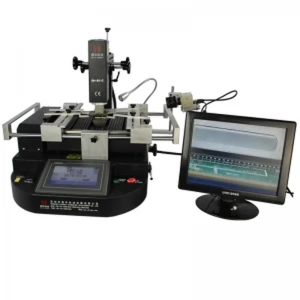
Dinghua DH-B1-C reworkstation met touchscreen en drie onafhankelijke verwarmers
1450,79€
Niet op voorraad
 Inpa K+Dcan BMW Mini OBD2-diagnose-interface voor professioneel diagnosewerk
21,78€