

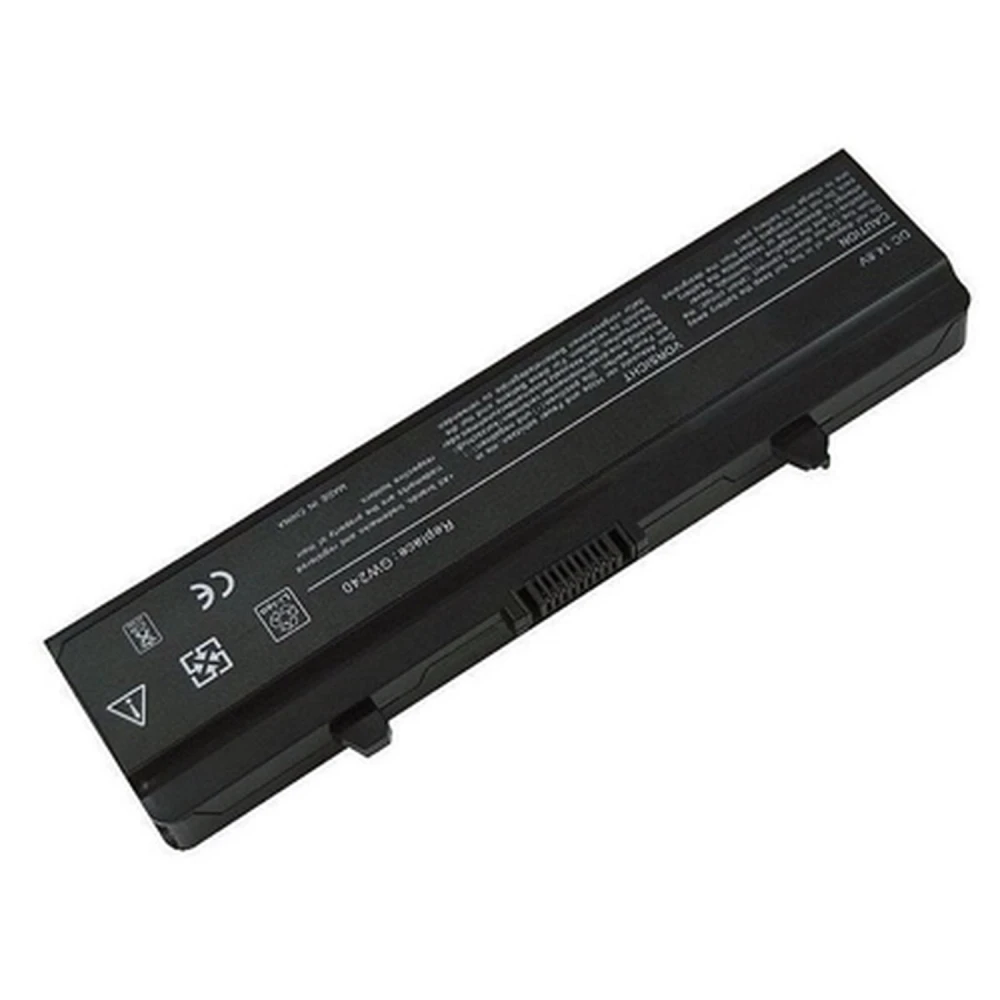
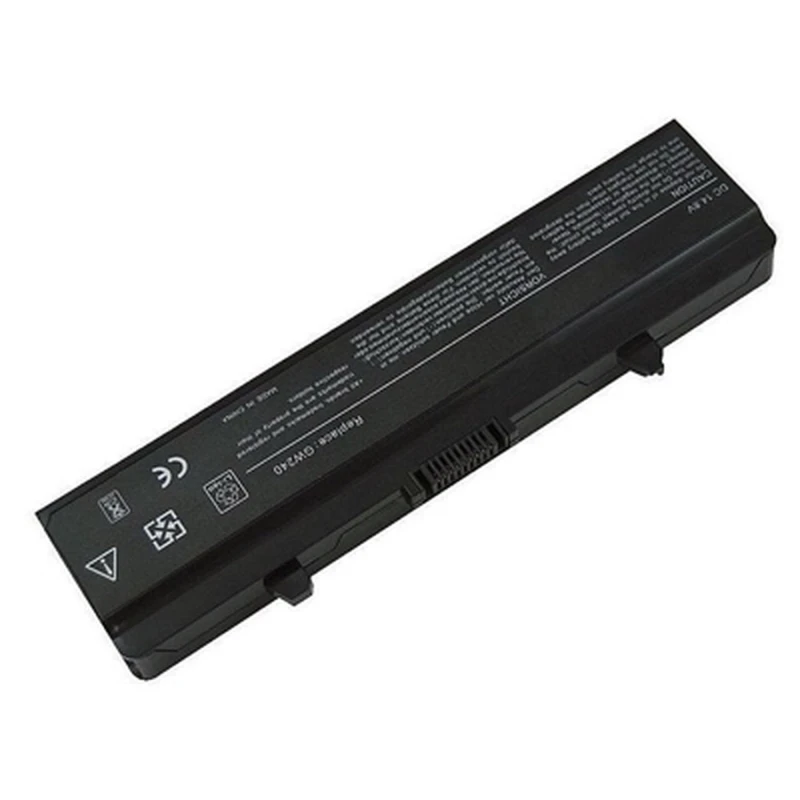
Accu voor Dell Inspiron 1525 4400mAh compatibel en duurzaam
Merk: satkit
IVA inbegrepen (Excl. btw: 12,00€)






Productbeschrijving
De accu voor Dell Inspiron 1525 biedt een capaciteit van 4400mAh en een voltage van 11,1V, ontworpen om een betrouwbare en duurzame energiebron te leveren voor je Dell-laptop. Deze accu is compatibel met verschillende Dell-modellen, zodat je verzekerd bent van een passende vervanging en optimale prestaties.
Belangrijkste kenmerken
- Merk: Dell
- Compatibel model: Inspiron 1525
- Voltage: 11,1V
- Capaciteit: 4400mAh
- Compatibiliteit met andere Dell-modellen: Inspiron 1500, 1526, 1545, 1546, Studio 1525, Vostro 500
Compatibele modellen
- Dell Inspiron 1500
- Dell Inspiron 1525
- Dell Inspiron 1526
- Dell Inspiron 1545
- Dell Inspiron 1546
- Dell Studio 1525
- Dell Vostro 500
Compatibele batterijen
- 0F965N
- 0N586M
- 312-0566
- 312-0567
- 312-0625
- 312-0626
- 312-0633
- 312-0663
- 312-0664
- 312-0763
- 312-0844
- 451-10473
- 451-10474
- 451-10528
- 451-10533
- 451-10534
- C601H
- D608H
- G555N
- GP952
- GP975
- GW240
- GW252
- HP297
- J399N
- K450N
- PU556
- PU563
- RN873
- RU586
- TT485
Veelvoorkomend gebruik
Deze accu is ideaal voor gebruikers die de originele accu van hun Dell Inspiron 1525 of andere compatibele modellen willen vervangen. Perfect om de levensduur van het toestel te verlengen en mobiliteit te behouden zonder afhankelijk te zijn van een constante netstroomaansluiting.
Compatibiliteit en aanbevelingen
Controleer vóór aankoop of je laptopmodel in de lijst met compatibele modellen staat. Deze accu is een directe vervanging voor de genoemde modellen en garandeert een perfecte pasvorm en veilige werking.
Beschikbaarheid
Momenteel is dit product niet op voorraad. We raden aan contact op te nemen met onze klantenservice voor informatie over een nieuwe voorraad of beschikbare alternatieven.
- 4400mAh capaciteit voor langdurig gebruik
- 11,1V voltage compatibel met Dell Inspiron 1525
- Compatibel met Dell Inspiron 1500, 1525, 1526, 1545, 1546, Studio 1525 en Vostro 500
- Originele vervanging voor accu's met codes zoals 0F965N, 312-0566, 451-10528, onder andere
- Ideaal om de levensduur van je Dell Inspiron-laptop te verlengen
Klantvragen & Antwoorden
Cal fer algun procediment especial en instal·lar la bateria en un Dell Inspiron 1525 per assegurar un funcionament òptim?
La instal·lació és directa: s’insereix la bateria assegurant-ne l’encaix al compartiment corresponent i es bloqueja amb les pestanyes del portàtil. Es recomana carregar completament la bateria abans del primer ús i fer, si és possible, una primera descàrrega fins aproximadament el 10%, per calibrar el mesurador de càrrega del portàtil. No calen actualitzacions de firmware ni configuracions addicionals.
En quins rangs de temperatura i humitat es recomana operar i emmagatzemar aquesta bateria per allargar-ne la vida útil?
Per a l’ús, el rang òptim és entre 0 °C i 35 °C, i per a l’emmagatzematge entre 10 °C i 25 °C, en llocs secs (<60% HR). Exposar-la a temperatures superiors a 60 °C o emmagatzemar-la descarregada durant períodes prolongats pot escurçar substancialment la seva vida útil. És recomanable emmagatzemar-la amb una càrrega del 40-60% si no s’utilitzarà durant setmanes.
La bateria inclou tots els components necessaris per a la seva instal·lació o requereix eines/adaptadors addicionals?
La bateria es lliura llesta per instal·lar i no requereix eines ni adaptadors addicionals; s’insereix manualment al compartiment del portàtil. El contingut de la caixa sol ser únicament la bateria i, en alguns casos, una guia ràpida d’instal·lació.
Is any special procedure required when installing the battery in a Dell Inspiron 1525 to ensure optimum operation?
Installation is straightforward: insert the battery, making sure it seats correctly in the compartment, and lock it with the laptop latches. It is recommended to fully charge the battery before first use and, if possible, perform an initial discharge to around 10% to calibrate the laptop’s charge meter. No firmware updates or additional settings are required.
What temperature and humidity ranges are recommended for operating and storing this battery to extend its service life?
For use, the optimum range is between 0°C and 35°C, and for storage between 10°C and 25°C in dry places (<60% RH). Exposing it to temperatures above 60°C or storing it discharged for long periods can significantly shorten its service life. If it will not be used for weeks, it is advisable to store it at 40–60% charge.
Does the battery include all the components needed for installation, or does it require additional tools/adapters?
The battery is supplied ready to install and does not require any additional tools or adapters; it is inserted manually into the laptop compartment. The box contents are usually the battery only and, in some cases, a quick installation guide.
Is any special procedure required when installing the battery in a Dell Inspiron 1525 to ensure optimal operation?
Installation is straightforward: insert the battery, ensuring it seats correctly in the compartment, and lock it with the laptop latches. It is recommended to fully charge the battery before first use and, if possible, carry out an initial discharge to around 10% to calibrate the laptop’s charge meter. No firmware updates or additional settings are required.
What temperature and humidity ranges are recommended for operating and storing this battery to prolong its service life?
For use, the optimal range is between 0°C and 35°C, and for storage between 10°C and 25°C, in dry places (<60% RH). Exposing it to temperatures above 60°C or storing it discharged for long periods can significantly shorten its service life. If it will not be used for weeks, it is advisable to store it at 40–60% charge.
Does the battery include all the components needed for installation, or does it require additional tools/adapters?
The battery is supplied ready to install and does not require any additional tools or adapters; it is inserted manually into the laptop compartment. The box contents usually include only the battery and, in some cases, a quick installation guide.
Behöver man göra något särskilt när batteriet installeras i en Dell Inspiron 1525 för att säkerställa optimal funktion?
Installationen är enkel: sätt i batteriet så att det passar i rätt fack och lås det med laptopens spärrar. Det rekommenderas att ladda batteriet fullt före första användning och, om möjligt, göra en första urladdning till cirka 10% för att kalibrera laptopens laddningsmätare. Inga firmwareuppdateringar eller ytterligare inställningar krävs.
Schrijf een klantbeoordeling
Klanten die dit artikel kochten, kochten ook
Uw recent bekeken artikelen



Opvouwbare hydraulische werkplaatskraan 2 ton met verstelbare arm en zwenkwielen