


2,66€
Op voorraad
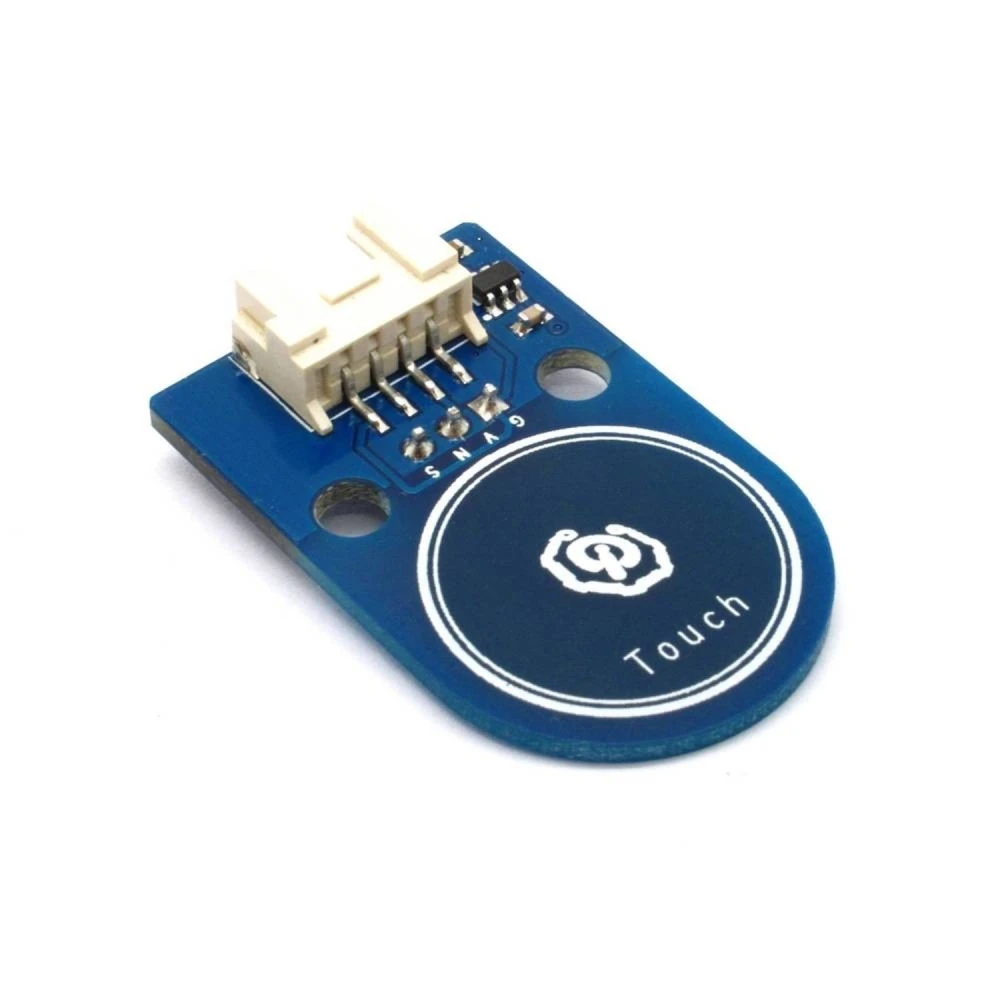
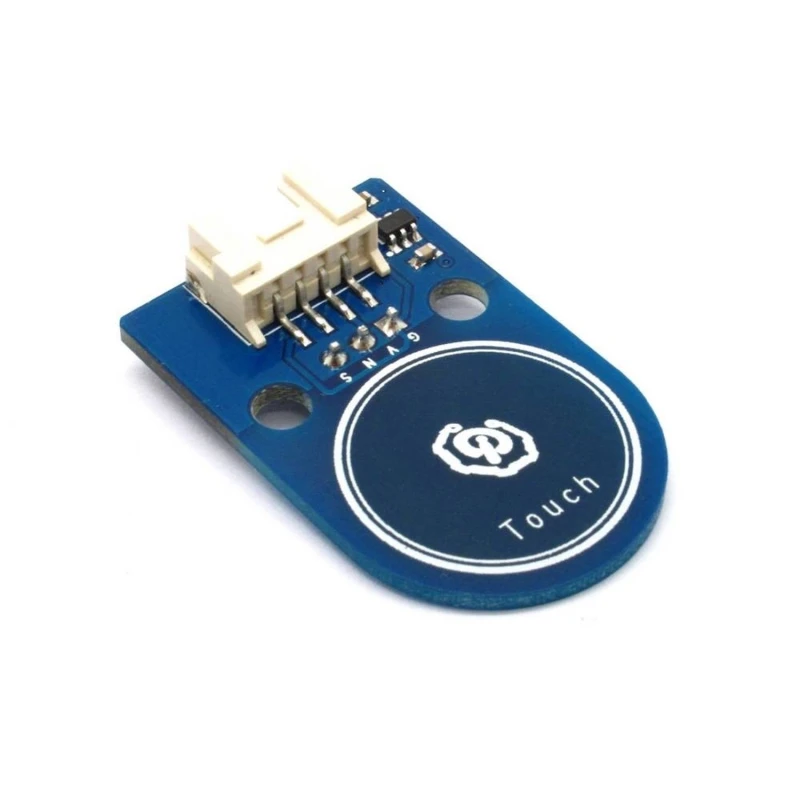
Compatibele plug-and-play Arduino touch button met Grove en M4-kits
Merk: satkit
2,66€
IVA inbegrepen (Excl. btw: 2,20€)
Nog maar 4 op voorraad - bestel snel!
Standaardlevering
Wo, Apr 22 - Vr, Apr 24
Expresslevering
Ma, Apr 20 - Di, Apr 21
30 dagen retour
Gratis retourneren binnen 30 dagen
Beveiligde transactie


Share:
Gratis bezorging
Bij bestellingen boven 300€
Eenvoudig retourneren
30 dagen retourbeleid
Veilig betalen
100% veilig afrekenen
Kwaliteitsgarantie
Alleen originele producten
Productbeschrijving
De Arduino touch button is een elektronisch onderdeel dat is ontworpen om interactie in Arduino-projecten te vereenvoudigen. Deze touchsensor is plug and play, wat betekent dat hij eenvoudig te gebruiken en aan te sluiten is zonder gedoe, ideaal voor makers, studenten en professionals die op zoek zijn naar een snelle en effectieve oplossing voor hun projecten.
Belangrijkste kenmerken
- Compatibiliteit met standaard 2.54-interfaces met 3 pinnen en Grove met 4 pinnen, waardoor integratie op meerdere platforms eenvoudig is.
- Gebruik van standaard M4-bevestigingsgaten, compatibel met standaard M4-kits zoals Lego en Makeblock, waardoor montage in modulaire en educatieve structuren mogelijk is.
- Compact PCB-formaat: 38.0mm x 24.0mm x 1.6mm, ideaal voor projecten met beperkte ruimte.
- Werk- en bedrijfsvoltage van 3.3V of 5V DC, compatibel met de meeste Arduino-borden en andere microcontrollers.
- Plug-and-play-ontwerp dat de insteltijd verkort en snel gebruik mogelijk maakt.
Typische toepassingen en gebruik
Deze touch button is perfect voor DIY-elektronicaprojecten, educatieve robotica en interactieve prototypes. Hij kan worden gebruikt om functies te activeren, apparaten te bedienen of als gebruikersinterface in systemen op basis van Arduino en compatibele platforms.
Compatibiliteit
Compatibel met standaard 2.54-interfaces met 3 pinnen en Grove met 4 pinnen, past deze touch button op een breed scala aan Arduino-borden en modules, evenals modulaire kits zoals Lego en Makeblock dankzij de M4-bevestigingsgaten.
Technische specificaties
- PCB-formaat: 38.0mm x 24.0mm x 1.6mm
- Werkvoltage: 3.3V of 5V DC
- Bedrijfsvoltage: 3.3V of 5V DC
- Compatibele interfaces: 2.54 met 3 pinnen en Grove met 4 pinnen
- Montagemechanisme: standaard M4-bevestigingsgaten
Conclusie
De Arduino touch button van satkit is een praktische en veelzijdige oplossing voor wie touchbediening wil toevoegen aan elektronische projecten. De eenvoudige integratie, compatibiliteit met modulaire kits en compacte vorm maken dit een uitstekende keuze voor educatieve en professionele projecten.
- Plug-and-play, eenvoudig te gebruiken voor Arduino-projecten.
- Compatibel met 2.54-interfaces met 3 pinnen en Grove met 4 pinnen.
- Standaard M4-bevestigingsgaten voor montage in Lego- en Makeblock-kits.
- Compact PCB-formaat: 38.0mm x 24.0mm x 1.6mm.
- Werk- en bedrijfsvoltage: 3.3V of 5V DC.
Klantvragen & Antwoorden
Quins avantatges ofereix aquest botó tàctil respecte a un botó mecànic tradicional en projectes Arduino?
El botó tàctil elimina parts mòbils, augmentant la seva vida útil en reduir el desgast per ús repetit. A més, ofereix una resposta més ràpida i silenciosa, tot i que no té retroalimentació tàctil. És ideal per a aplicacions on la durabilitat i l'estètica són prioritàries.
Quines són les dimensions exactes i el pes del mòdul, i què s'inclou a la caixa?
El mòdul fa 38,0 mm x 24,0 mm x 1,6 mm (PCB), amb un pes aproximat de 5-8 grams. La caixa sol incloure només el mòdul; els cables o manuals poden no estar inclosos depenent del distribuïdor.
Amb quines plaques Arduino i voltatges és compatible el botó tàctil, i quin tipus de connectors utilitza?
És compatible amb plaques Arduino que operen a 3,3 V o 5 V DC i interfícies estàndard de 2,54 mm (3 pins) o Grove de 4 pins. Es pot utilitzar amb la majoria de plaques comercials que admeten aquests voltatges i connectors.
Quines cures de manteniment requereixen aquests sensors tàctils i quina és la seva durabilitat típica?
El botó tàctil requereix només una neteja ocasional per evitar l'acumulació de pols a la superfície tàctil. La seva durabilitat és alta (superior a 1 milió d'activacions), ja que no té contactes mecànics sensibles al desgast.
Quins problemes solen presentar-se en la instal·lació o ús, i com es poden resoldre?
Els problemes comuns inclouen connexions incorrectes de pins i falsos positius deguts a interferències elèctriques. Es recomana revisar les connexions, fer servir cables curts i, si hi ha activacions involuntàries, col·locar una resistència pull-down de 10 kΩ.
What advantages does this touch button offer over a traditional mechanical button in Arduino projects?
The touch button eliminates moving parts, increasing its service life by reducing wear from repeated use. It also offers a faster and quieter response, although it lacks tactile feedback. It is ideal for applications where durability and aesthetics are priorities.
What are the exact dimensions and weight of the module, and what is included in the box?
The module measures 38.0 mm x 24.0 mm x 1.6 mm (PCB), with an approximate weight of 5-8 grams. The box usually includes only the module; cables or manuals may not be included depending on the distributor.
Which Arduino boards and voltages is the touch button compatible with, and what type of connectors does it use?
It is compatible with Arduino boards operating at 3.3 V or 5 V DC and standard 2.54 mm interfaces (3-pin) or 4-pin Grove connectors. It can be used with most commercial boards that support those voltages and connectors.
What maintenance does this touch sensor require and what is its typical durability?
The touch button only requires occasional cleaning to prevent dust build-up on the touch surface. Its durability is high (over 1 million activations), as it has no mechanical contacts subject to wear.
What problems usually occur during installation or use, and how can they be resolved?
Common issues include incorrect pin connections and false positives caused by electrical interference. It is recommended to check the connections, use short cables and, if unintended activations occur, fit a 10 kΩ pull-down resistor.
Schrijf een klantbeoordeling
Klanten die dit artikel kochten, kochten ook

Uw recent bekeken artikelen
 Compatibele plug-and-play Arduino touch button met Grove en M4-kits
2,66€